

XCQH021 Vacuum Cleaner User Manual
Ⅰ. Product Specifications
|
Product Name |
Model No |
Rated Power |
Rated Voltage |
Rated Frequency |
|
Corded Vacuum Cleaner |
F12 |
600W |
220-240V |
50/60Hz |
Ⅱ.Product Diagram
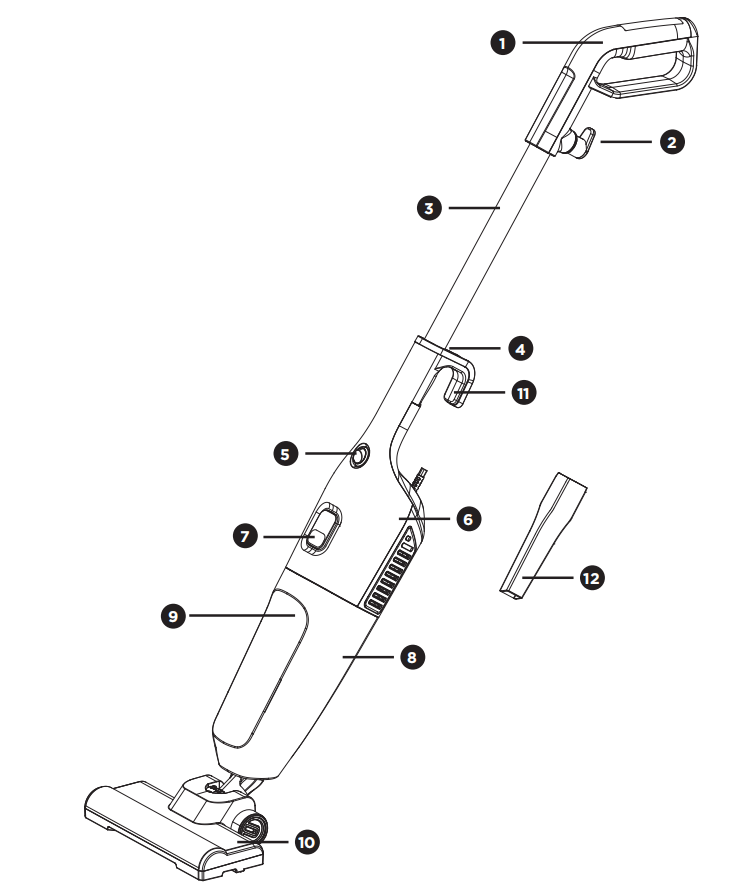
- Handle
- Top Cord Wrap
- Extension Tube
- Handle Release Button
- Power Button
- Main Unit
- Dustbin Release Latch
- Dustbin
- HEPA Filter
- Floor Brush
- Bottom Cord Wrap
- Crevice Tool
Ⅲ. Operating Instructions
1. Installation Instructions
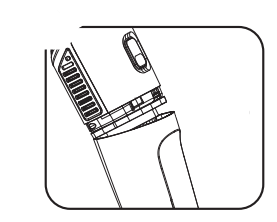
Dustbin Installation
1 Align and install the dustbin as shown in the diagram.
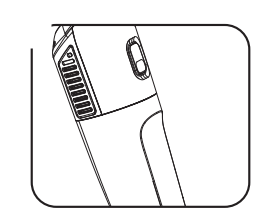
2 Secure the dustbin as shown in the diagram.
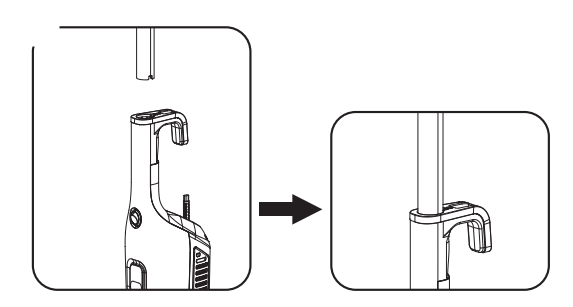
Handle Assembly
Align the extension tube with the hole in the middle of the handle and push it in until a click is heard.
Floor Brush/Crevice Tool Installation
Align the air outlet of the main unit with the floor brush/crevice tool and press up gently to secure it in place.
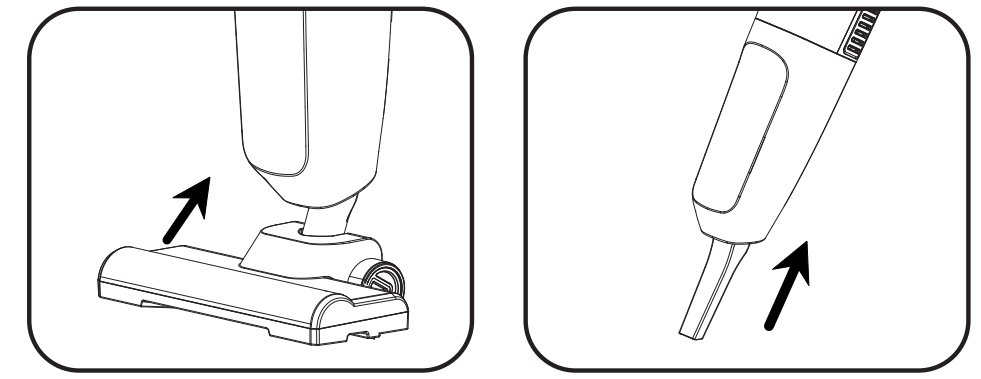
2. Usage Instructions
1 Choose to use the floor brush, crevice tool, or handheld mode only.
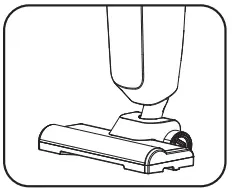 Floor brush
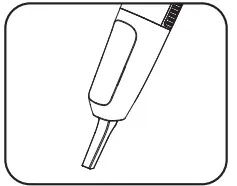 Crevice tool
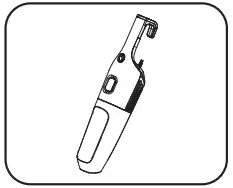 Handheld mode
2 Plug the power cord into a power outlet.
3 Press the power switch to turn on the vacuum cleaner.
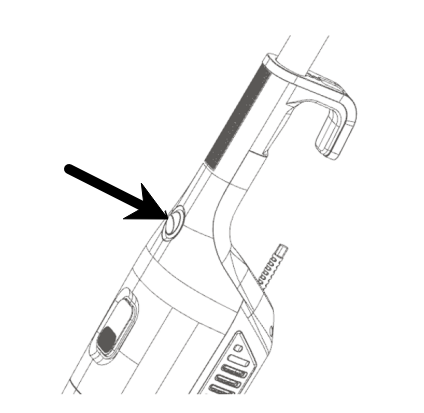
3. Accessory Switching
Floor Brush Usage:Suitable for carpets/floors, switchable for hard and soft surfaces.
- Attach the floor brush of the vacuum cleaner to the main unit.
- Attach the handle to the main unit. The floor brush is ready for use once properly installed, ideal for floor cleaning.
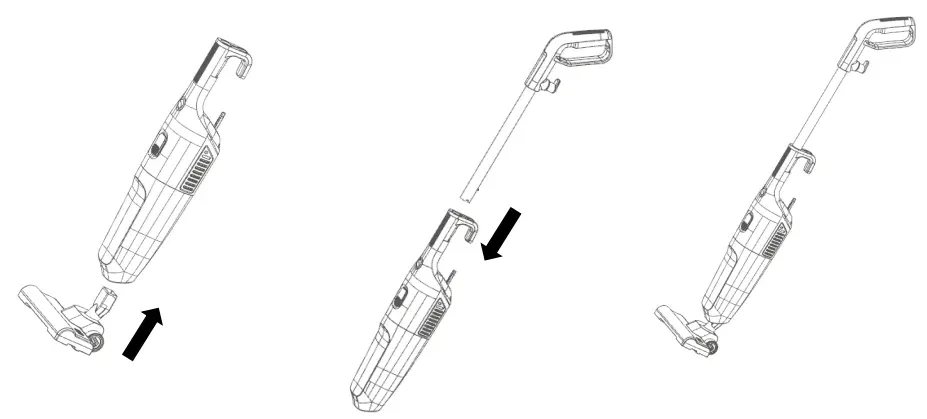
Crevice Tool Usage:Ideal for deep cleaning in gaps and crevices.
- Remove the handle.
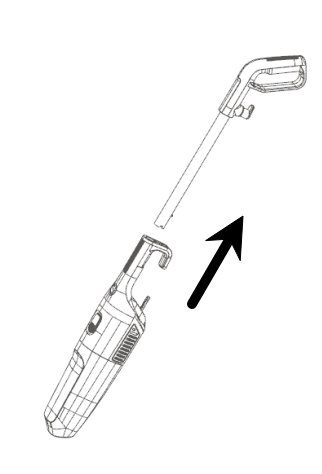
- Remove the floor brush.
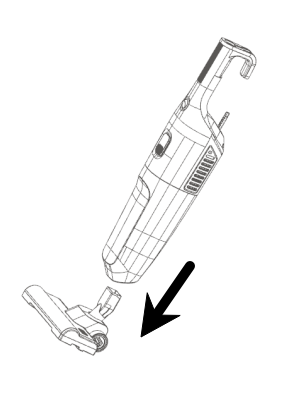
- Attach the crevice tool to the main unit for handheld use.
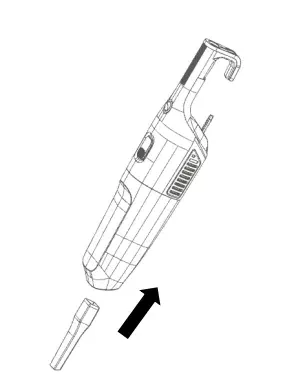
CAUTION: The suction inlet must remain unobstructed at all times. Otherwise, the motor may overheat and be damaged.
Ⅳ.Cleaning and Maintenance
- Unplug the power cord and allow the appliance to cool down before cleaning.
- Wipe the exterior of the main unit with a damp cloth. Do not immerse the entire unit in water or rinse it under a faucet.
- Do not clean with steel wool, abrasive cleaners, or corrosive liquids.
- Ensure all parts of the product are completely dry before storage.
- For long-term storage, keep the product in a dry, cool place. Avoid areas with excessive dust, high temperatures, and direct sunlight.
- Clean the filter components regularly.
- Do not clean the dustbin HEPA filter in a washing machine.
- It is recommended to replace the HEPA filter every 3 months (depending on usage) to ensure optimal performance of the unit.
Dustbin Cleaning
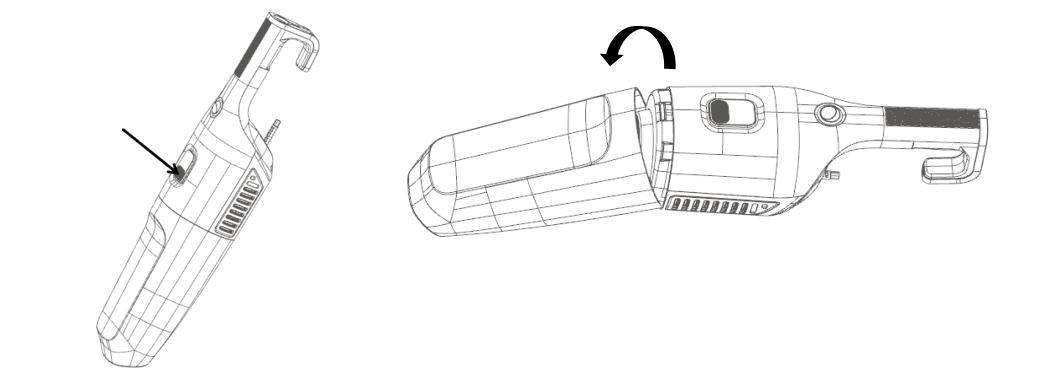
1. Press the dustbin release latch and rotate the dustbin in the direction of the arrow to remove it.
2. Hold the dustbin, remove the HEPA filter, and clean the dustbin and filter. The filter components, filter element, and dustbin can be rinsed with water
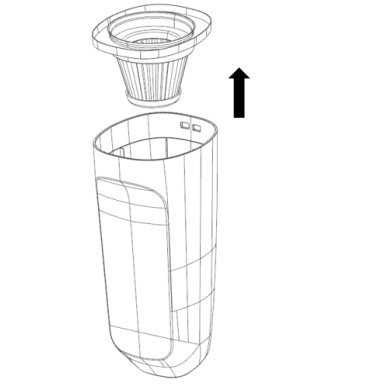
3. After cleaning the HEPA filter, allow it to air dry naturally. Do not use a hair dryer.
4. Reinstall the dried HEPA filter into the dustbin. Never operate the vacuum without the HEPA filter installed.
Dustbin Replacement
- Push the HEPA filter down into the dustbin until it is seated.
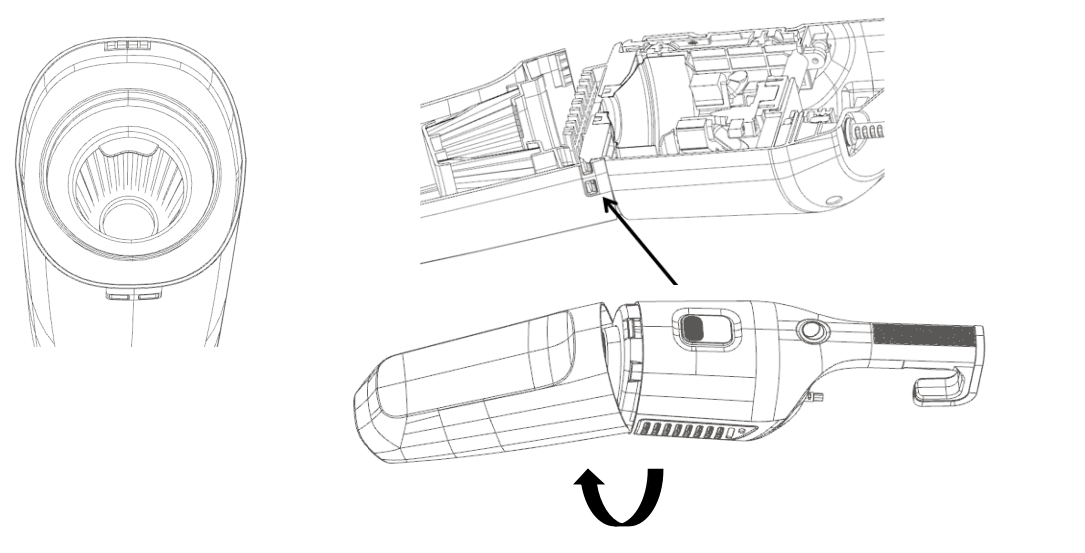
- Hold the main unit, align the groove on the top of the dustbin with the protrusion on the main unit, and insert the protrusion into the groove. Then rotate the dustbin assembly in the direction of the arrow.
- Push the dustbin fully into the main unit until a click is heard, indicating it is locked in place.
Ⅴ.Warning
- Read this manual carefully before using the product and keep it in a safe place for future reference.
- This product is not intended for use by persons with physical, cognitive, or mental impairments, or those lacking knowledge and experience, unless supervised and instructed by a person responsible for their safety.
- Do not allow children to play with this product. Keep it out of reach of children.
- Before use, ensure the marked voltage of the product matches the local supply voltage. Only use the original or manufacturer-specified power cord and charger.
- Do not use the product if the plug, power cord, or the product itself is damaged, cracked, or leaking electricity. Do not disassemble or modify the product by yourself. Contact customer service immediately if any abnormality occurs.
- Do not plug in/unplug the power cord or operate the appliance with wet hands.
- If the appliance emits smoke, an unusual odor, overheats, or deforms during operation, turn off the power immediately and stop using it. Contact customer service if necessary.
- This product is for household use only. Do not use it for commercial, professional purposes, or any function not specified in this manual. Improper use will void the warranty, and the manufacturer will not be liable for any resulting losses.
- Always supervise the appliance when in use. Do not leave it running unattended. Disconnect the power supply before leaving, assembling, disassembling, cleaning, or servicing the product.
- Avoid direct skin contact with hot components to prevent burns. Exercise caution when handling moving parts to avoid scratches.
- Do not vacuum water, wet objects, liquids, ashes, hot coals, cigarette butts, matches, or any hot, smoking, or burning items.
- Do not vacuum flammable or combustible materials (e.g., lighter fluid, gasoline, kerosene, etc.) or use the appliance near flammable/explosive liquids or vapors.
- Do not vacuum toxic substances (e.g., chlorine bleach, ammonia, drain cleaner, etc.).
- Do not vacuum toner (for laser printers, copiers, etc.) as this may pose a fire and explosion risk.
- Do not vacuum plaster, cement, etc., as this may clog the filter.
- Do not vacuum large, hard, or sharp objects (e.g., glass, nails, screws, coins, etc.) as this may damage the appliance.
- Never operate the vacuum without the filter installed.
- Do not store or use the product near high-temperature areas.
- Do not run over the power cord with the vacuum cleaner.
- Do not use the vacuum if it is clogged. Turn it off and clear all obstructions before resuming use.
- Do not use the vacuum if the filter is clogged. Clean or replace the filter before resuming use.
- Do not use the product if it malfunctions, makes abnormal noises, emits an unusual odor, smokes, is dropped, or damaged in any way.
- Do not use the product if it has been dropped, damaged, left outdoors, or immersed in liquid (e.g., water).
- Do not trap the power cord in a door or pull it around sharp edges or corners.
Ⅵ.Common Issues
|
Problem Symptom |
Possible Cause |
Solution |
|
Unable to power on |
Plug not fully inserted |
Reinsert the plug and ensure it is fully seated. |
|
|
No power to the outlet |
Try plugging into another outlet. |
|
Unusual noise from product |
Dustbin is full, or air duct is clogged |
Remove the dustbin and clear the debris or obstructions. |
|
Reduced suction power |
Dustbin is full, or filter is excessively dirty |
Empty the dustbin and clean the filter.(Do not reinstall the filter until it is completely dry, to avoid damaging the motor.) |
|
|
Unstable voltage |
Wait for the voltage to stabilize before using again. |
|
Dust blowing out during use |
Filter assembly in the dustbin is damaged |
Stop using immediately and replace with a new filter. |
|
|
Filter assembly not installed |
Stop using immediately and install the filter assembly properly. |