

Simplus Water Flosser CYQH004 Manual
I. Product Specifications
| Product Name | Model No. | Rated Power | Input Voltage | Input Current |
| Water Flosser | X3A | 5W | 5V | 1A |
II. Product Diagram
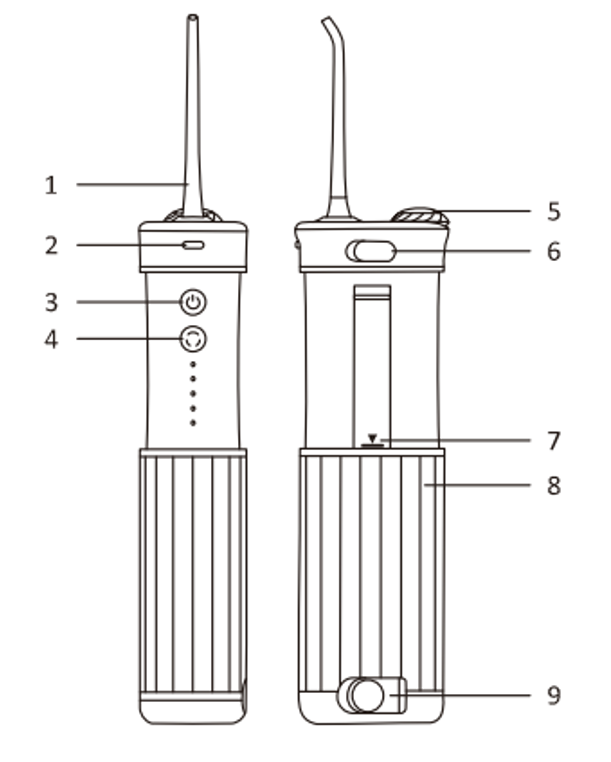
- Nozzle
- Nozzle Release Button
- Water Flossing On/Off Button / UV Light On/Off Button
- Mode Button
- Top Water Fill Cover / Nozzle Storage Cover
- Charging Port
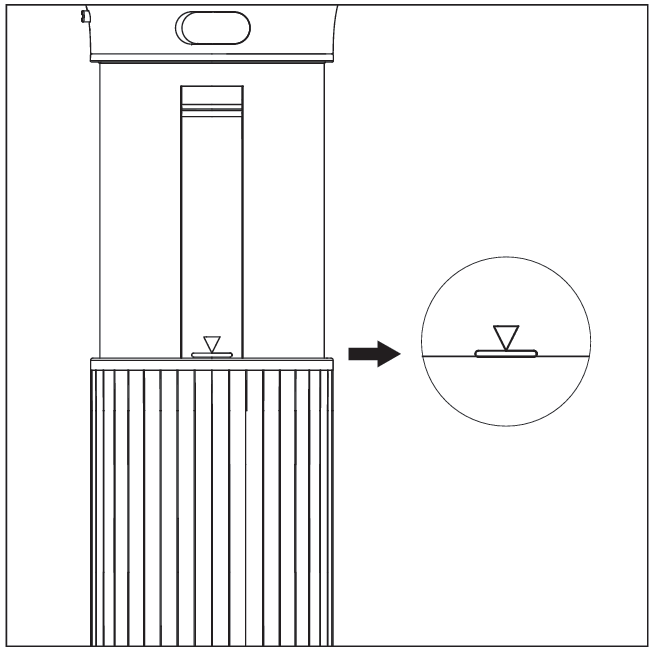
- Water Tank Alignment Mark
- Water Tank
- Drain Outlet
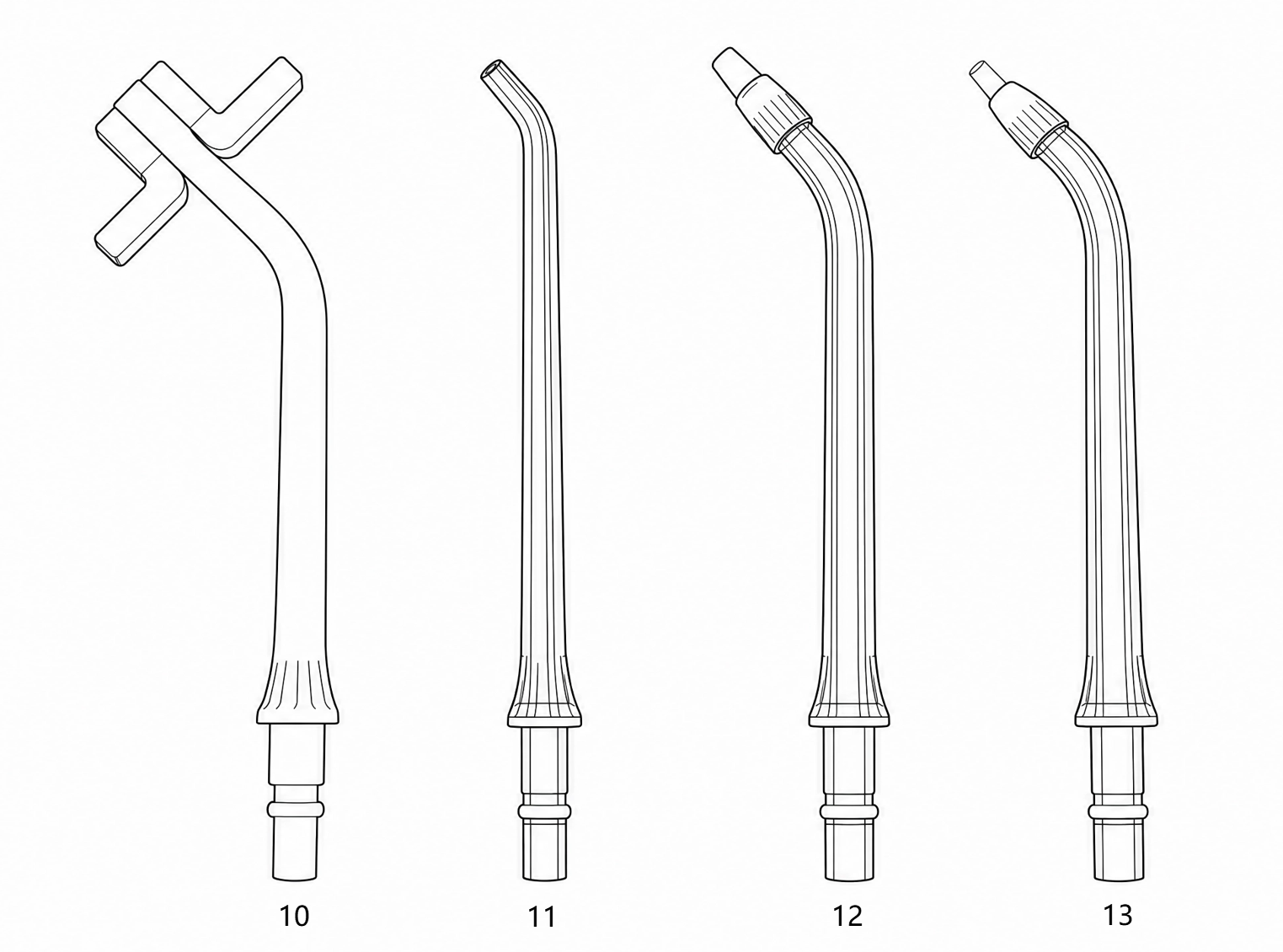
- 360° Rotating Nozzle
- Standard Nozzle
- Orthodontic Nozzle
- Periodontal Pocket Nozzle
Note: This product does not include a charging cable or adapter. Please prepare your own.
III. Operating Instructions
- Nozzle Type
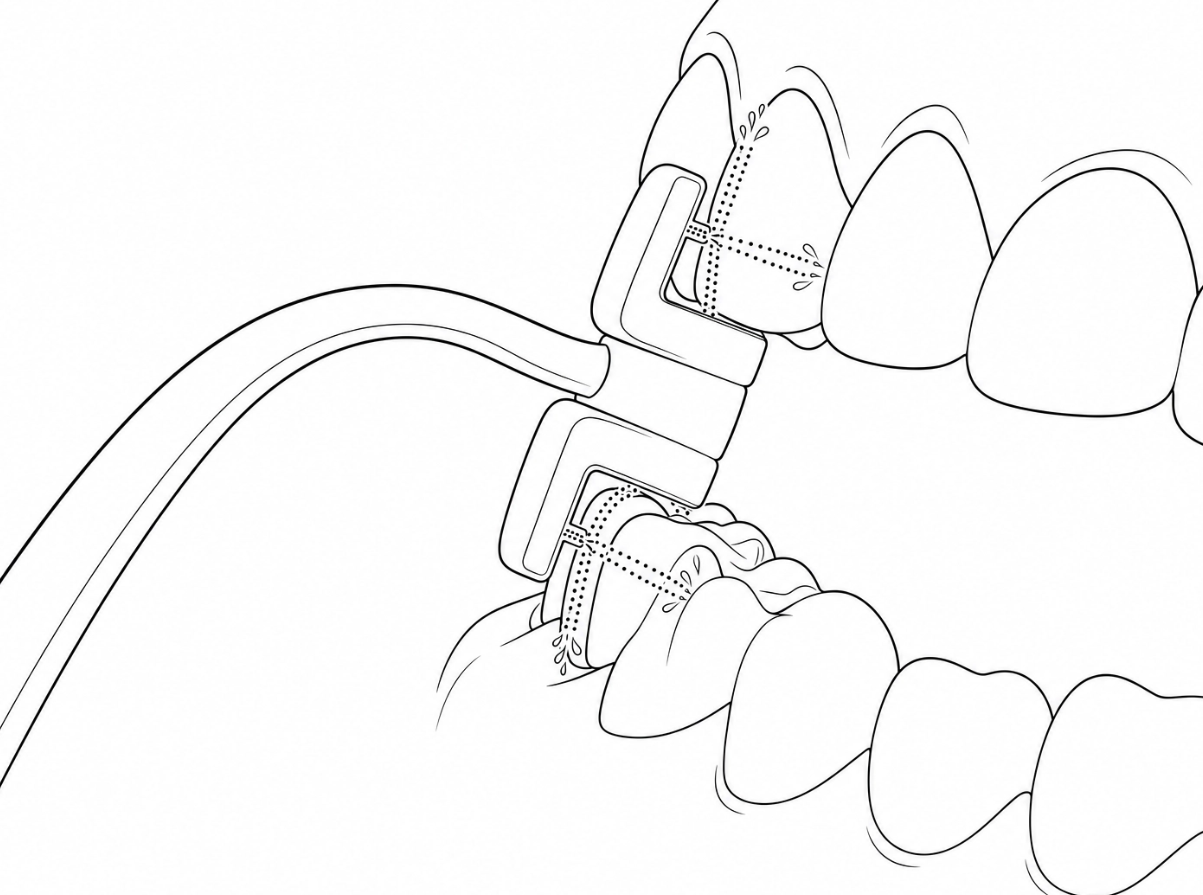
4-in-1 Nozzle: Four water outlets simultaneously clean the upper, lower, inner, and outer areas, achieving 4x cleaning efficiency; the head rotates 360° for thorough oral cleaning.
How to use: As shown, place the nozzle between your upper and lower teeth, gently bite down, close your mouth slightly, then turn on the device.
Standard Nozzle: Effectively removes food debris and plaque, helping prevent cavities and tartar; ideal for daily or deep cleaning.
Orthodontic Nozzle: Cleans complex areas like braces; ideal for orthodontic users.
Periodontal Pocket Nozzle: Cleans debris from periodontal pockets; suitable for users with gingivitis or periodontal disease.
Note: Over time, the nozzle tip may deform. Replace it promptly to avoid device malfunction; it is recommended to replace the nozzle every 3–6 months.
- Nozzle Installation/Removal
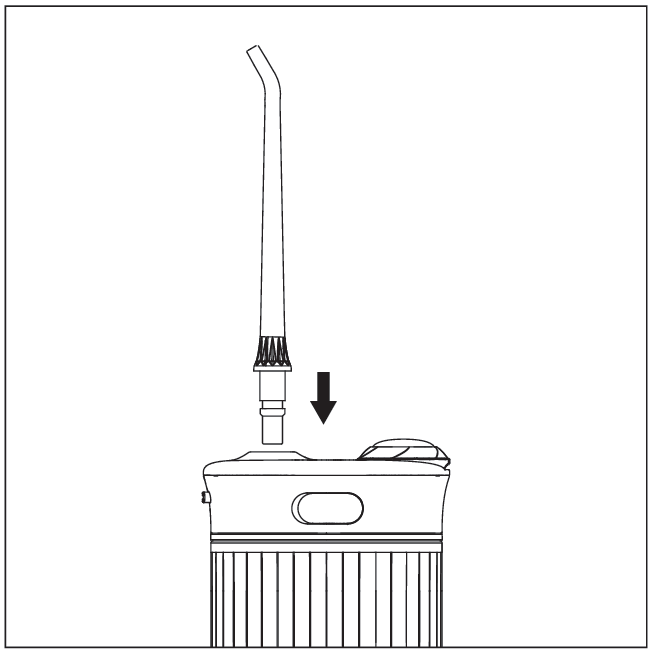
Installation: Insert the nozzle vertically into the slot until you hear a click, indicating it is securely in place.
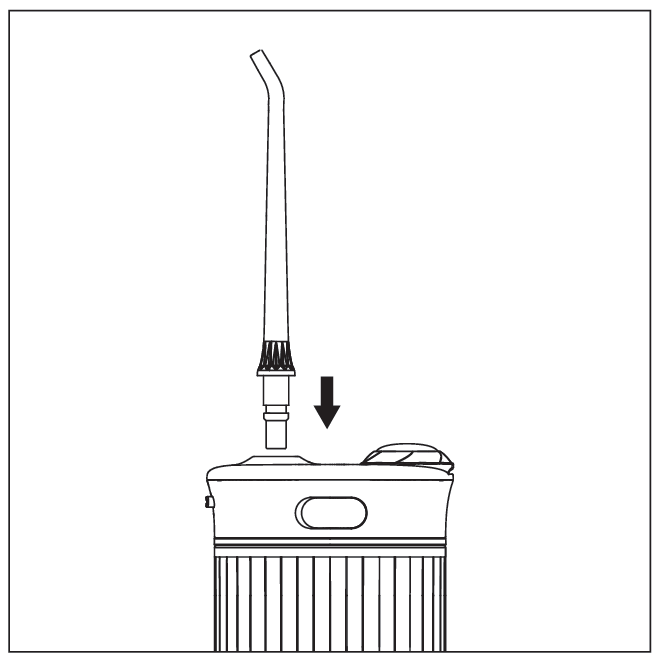
Removal: Press and hold the release button while pulling the nozzle upward with your other hand.
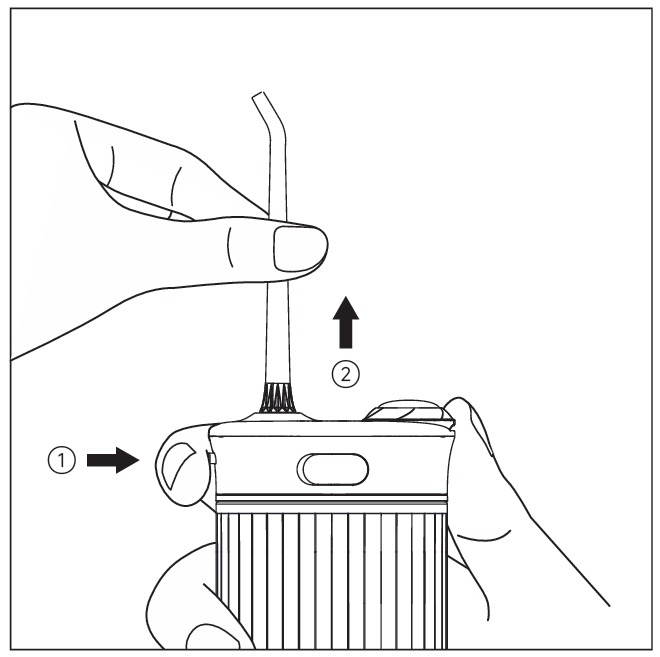
Note: Do not press the nozzle release button during use, as the nozzle may pop out and cause injury.
- Power On/Off & Mode Selection
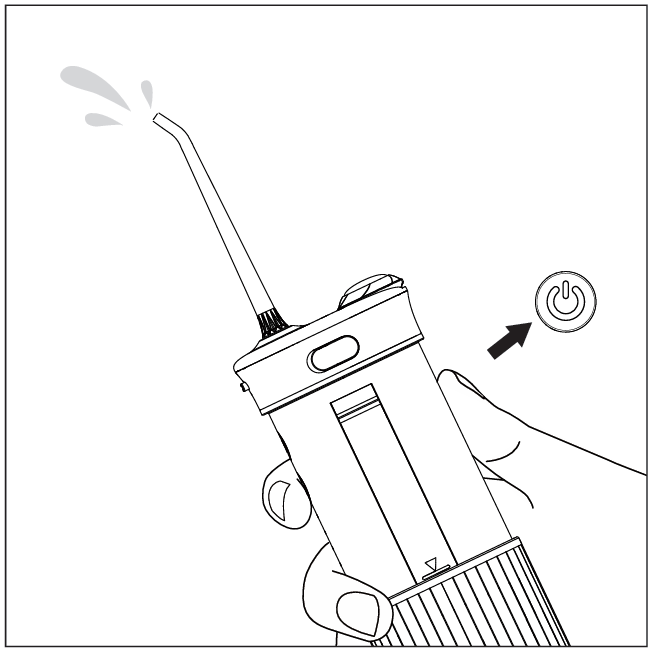
Power On/Off: Short-press the  power button to turn the device on or off.
Note: This product has a 60–70 second auto-off timer. After continuous use for 60–70 seconds, it will automatically shut down. To continue, short press the power button again.
- Mode Switching: Short-press the
![]() mode button to cycle through Gentle, Power, Pulse, and Custom modes. The corresponding white indicator light will illuminate when a mode is selected.
mode button to cycle through Gentle, Power, Pulse, and Custom modes. The corresponding white indicator light will illuminate when a mode is selected.
Gentle Mode: Mild water pressure for gentle cleaning; suitable for sensitive teeth or first-time users.
Power Mode: Strong water pressure for deep cleaning; ideal for post-meal use or users requiring a deeper clean.
Pulse Mode: Alternating strong and weak pulsating water pressure for cleaning while dynamically massaging gums, promoting blood circulation; suitable for users with gum discomfort.
Custom Mode: Offers 9 pressure levels. After selecting a level, the device will remember your preference for next use. Level 1 is gentler than Gentle Mode, suitable for children or users with sensitive gums; Level 9 is stronger than Power Mode, ideal for post-meal or pre-bedtime deep cleaning.
*How to switch between 9 pressure levels: First select Custom Mode, then short press the power button to start. Long-press the  mode button; when the Custom indicator starts flashing, short press the mode button to cycle through the 9 levels. Once selected, the light will stay on, locking in your preferred intensity.
Note: This product has a mode memory function. Each time you power on, it defaults to the mode used before the last shutdown.
UV Sterilization Function: Long press the power button to activate the UV light and sterilize the water tank. The total sterilization time is 90 seconds, after which the UV light will automatically turn off. You can also long press the power button to turn off the UV light early.
Note: Do not point the UV light directly at eyes or skin. The nozzle can be placed inside the water tank for sterilization together.
- Charging & Battery Indicator
- Charging Method: Before charging, ensure the device and your hands are dry. Insert the Type-C charging cable into the charging port and connect it to a 5V-1A power adapter. Once connected to power, charging will begin.
Note: Only use a 5V-1A power adapter for charging (both the charging cable and adapter must be provided by the user).
- Battery Indicator Description:
| Product Status | Battery Status | Battery Indicator Status |
| Working Status | Sufficient Battery | Solid Green Light |
| Low Battery | Flashing Red Light | |
| Charging Status | Charging | Red light flashing |
| Fully charged | Green light steady |
Usage Steps
Insert the nozzle into the slot until you hear a click, indicating it is securely in place.
Pull the water tank down to the marked position.
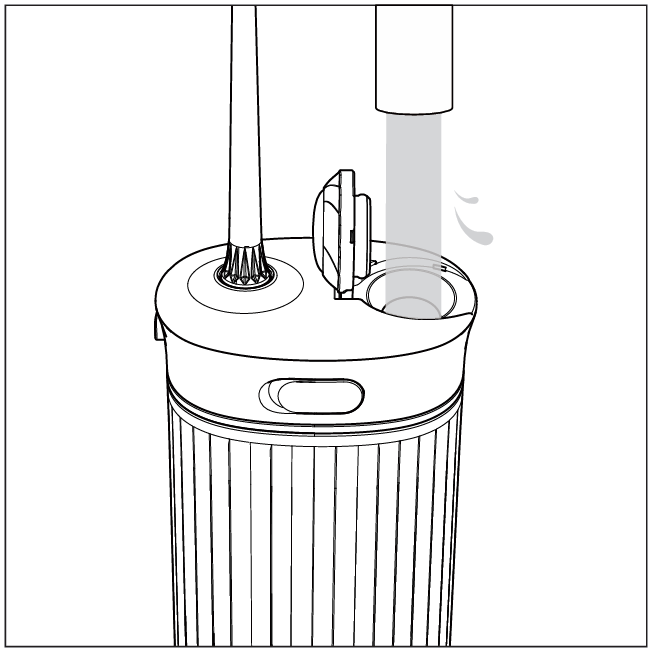
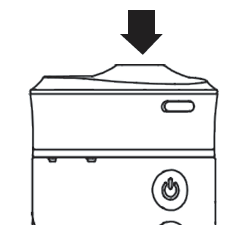
Fill the water tank with an appropriate amount of water through the top water inlet, then close the lid tightly.
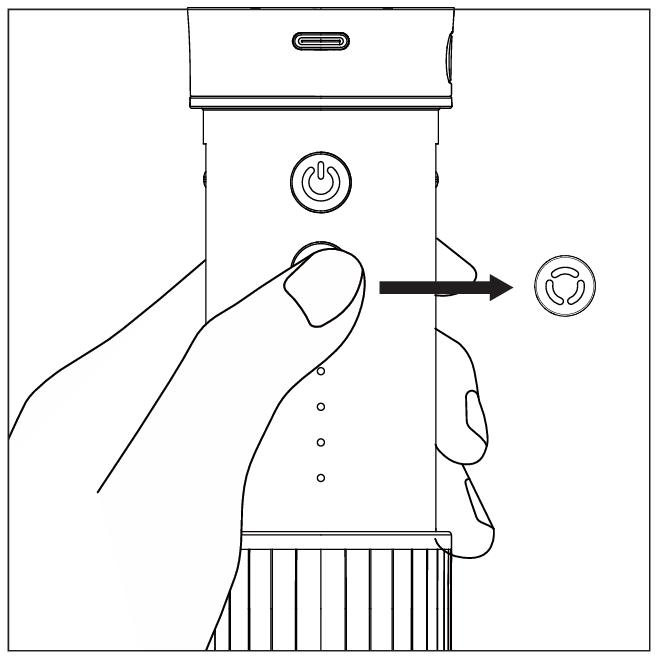
Short press the mode button to select your desired mode.
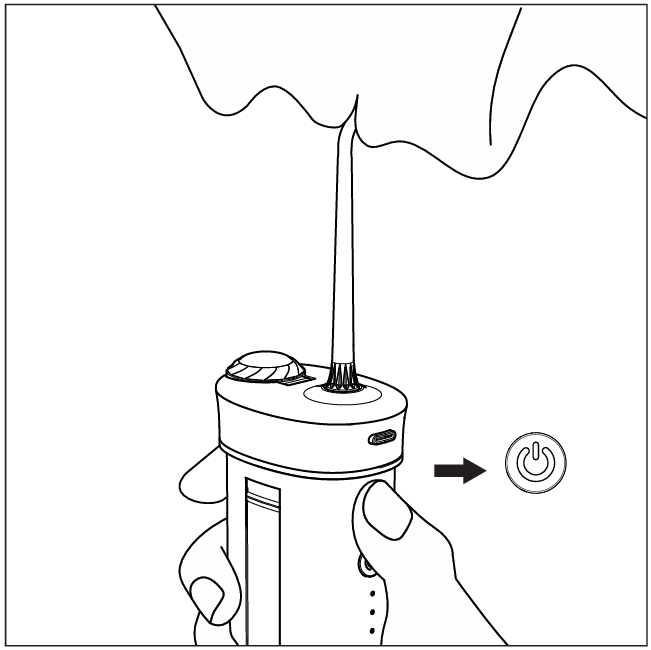
Place the nozzle in your mouth, slightly close your lips, then press the power button to start.
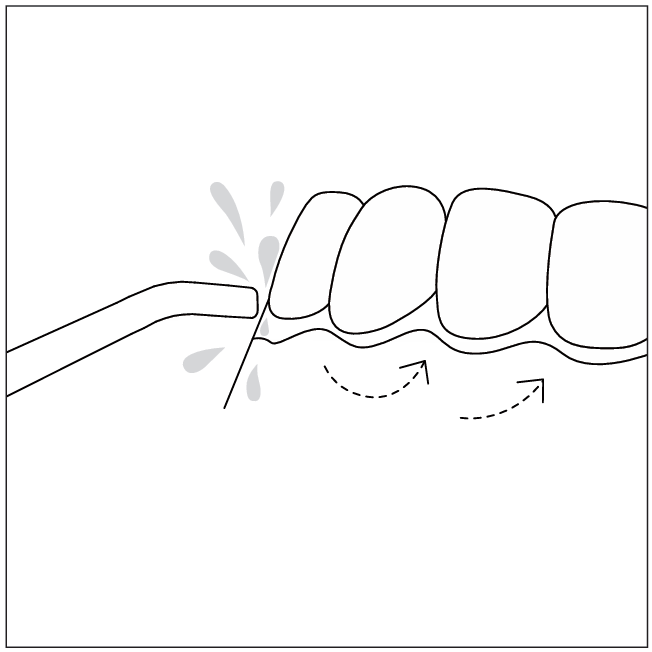
Move the nozzle slowly along the teeth gaps and gumline, ensuring the water flow is perpendicular to the surface being cleaned.
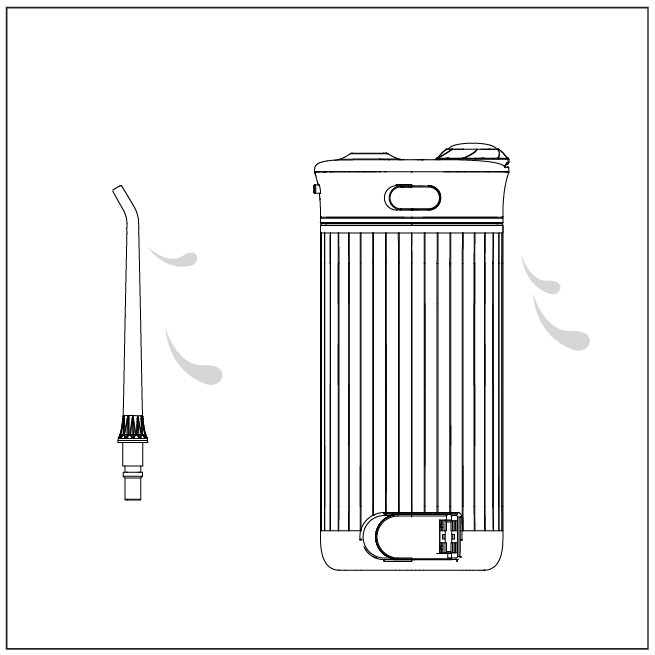
After use, press the power button and let it run for a few seconds to drain any residual water inside.
Clean the nozzle and water tank promptly, and leave them in a ventilated area to air dry.
IV. Cleaning and Maintenance
Daily Cleaning:
After each use, open the bottom drain to empty any remaining water from the water tank.
Press the power button and let it run for a few seconds to drain internal water, then turn it off.
- Wipe the exterior of the product dry with a dry cloth or paper towel.
Remove the nozzle, rinse and dry it, then store it in the built-in storage compartment inside the main unit.
Note:
- Do not clean with water above 40°C.
- Clean the product with clean water or a neutral detergent. Do not clean using corrosive or abrasive liquids, thinners, alcohol, etc.
- The main unit and water tank can be wiped with a damp cloth or rinsed with clean water. Dry them after cleaning.
- If lime-scale builds up inside the water tank, clean it with a brush.
- Ensure the inside of the water tank and the surface of the main unit are dry before reinstalling the water tank.
- If not using for an extended period, clean the product and store it after drying.
- Do not bend, pull, or twist the nozzle water tube.
- When using for the first time or after a long period of non-use, the water flosser may exhibit the following: Water may not spray instantly when powered on. In this case, add an appropriate amount of water into the nozzle installation port, reattach the nozzle, and then turn on the power switch. If the issue persists after following these steps, contact customer service.
V. Precautions
- Read all instructions before use.
- Do not use this product for purposes other than oral cleaning, or operate it in any manner not specified in this manual.
- Fully charge the product before first use.
- Due to quality testing before shipment, residual water vapor or droplets may be present in the water tank; this is normal and does not affect use.
- First-time users are advised to start with Gentle mode; gradually adapt before using other modes and adjusting to a suitable water pressure.
- Do not shine the UV light directly at eyes or skin.
- Use a power adapter with an output of 5V-1A for charging. (charging cable and adapter must be purchased separately).
- Do not disassemble this product or alter its components to avoid damage or high-voltage electric shock.
- Do not fill the water tank with water above 40°C for oral cleaning to prevent burns.
- If the product falls into water while charging, first unplug the power adapter from the outlet before retrieving the product.
- Do not insert or allow any foreign objects to fall into any openings of the product.
- Do not throw the product into fire, heat it, or place it near any heat sources.
- Do not charge, use, or store the product in high-temperature areas.
- Do not place the product on damp or unstable surfaces to prevent it from breaking or falling into water.
- Avoid direct sunlight.
- Do not press the nozzle forcefully against gums or teeth to avoid gum injury.
- Do not immerse the product in water to prevent malfunction, fire, electric shock, explosion, or other hazards.
- Do not plug or unplug the power adapter or charging plug with wet hands.
- Before connecting the power plug, check that the voltage indicated on the power adapter matches the local voltage.
- Do not charge the product in high-temperature or humid places, such as bathrooms or restrooms.
- Do not use the product without a nozzle installed.
- Mouthwash may corrode the product; do not fill the product with mouthwash for use.
- Children should use the device under the supervision of a guardian.
- Users with periodontal disease or who have undergone oral surgery within the past six months should consult a doctor before using this product.
- This product is not intended for use by persons (including children) with reduced physical, sensory, or mental capabilities, or lack of experience and knowledge, unless they are supervised or have been given instruction concerning use of the product by a person responsible for their safety.
- Do not allow children to play with this device.
VI. Self-Diagnosis of Faults
| Problem | Possible cause | Solution |
| Does not work | Newly purchased or unused for over 3 months | Charge at least 4 hours |
| Low water pressure during use | Foreign object/dirt blocking the nozzle | Clean or replace the nozzle |
| Charging indicator does not light up during charging | Circuit malfunction | Contact customer service |
| Charger/charging cable mismatch | Try using a different charger/charging cable | |
| Charging cable not fully inserted | Unplug the charging cable and reinsert it fully | |
| Short usage time after charging | Insufficient charging time | Ensure full charge |
| Circuit malfunction | Contact customer service |