

VACUUM CLEANER XCQH019 User Manual
Ⅰ.SPECIFICATIONS
|
Product Name |
Model No |
Rated Power |
Rated Voltage |
Rated Frequency |
|
Vacuum Cleaner |
YLC6231 |
1200-1300W |
230V~ |
50-60Hz |
Ⅱ.IMAGES
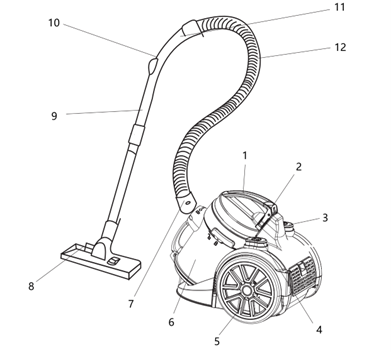
- Handle
- Dust Cup Release Button
- Cord Rewind Button
- Power Button
- Wheel
- Dust Cup
- Hose Connector
- Floor Brush
- Extension Tube
- Suction Control Slider
- Handle
- Hose
Ⅲ.INSTRUCTIONS
- INSTALLATION
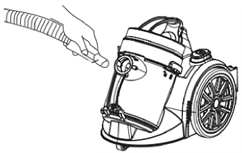
- Hose:Insert hose connector into vacuum port and twist clockwise to secure.
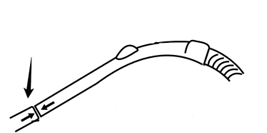
- Handle & Extension Tube:Firmly twist the handle into the extension tube, ensure a tight connection.
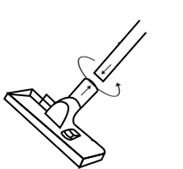
- Brush:Firmly twist the brush into the other end of the extension tube, ensure it is securely attached.
- Upright Position:Attach the floor brush into the rear holding slot to store upright.
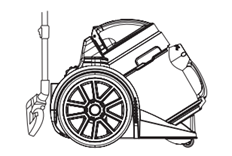
- OPERATION
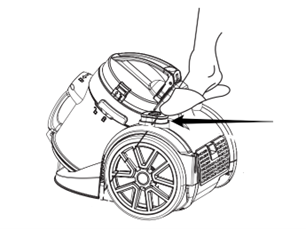
- Power Button:Press to turn on/off the vacuum.
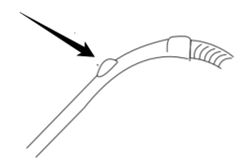
- Suction Control:Slide the suction control slider to adjust suction power.
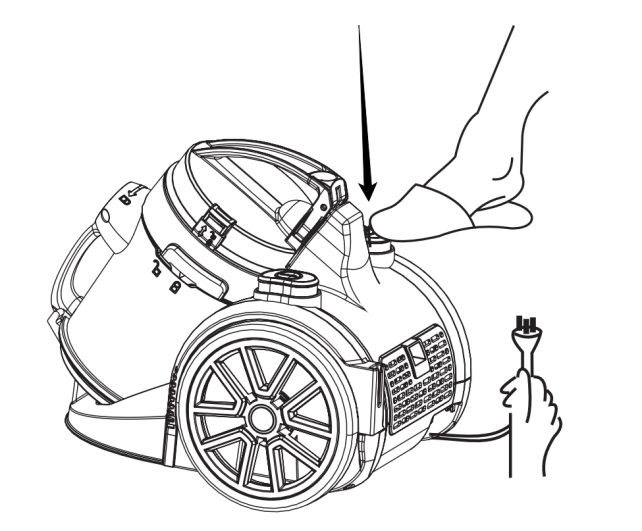
- Cord Rewind Button:Press to rewind the cord after use. Do not pull forcefully to avoid damaging the rewind mechanism.
ACCESSORIES
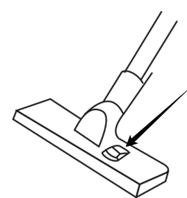
1. Floor Brush:For floors and carpets. Press the pedal to switch modes.
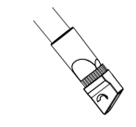
2. 2-in-1 Brush Head
- Crevice Brush:For corners, gaps, tight spaces, etc.
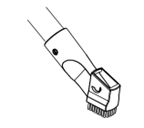
- Dust Brush:For sofas, furniture, etc.
Ⅳ.CLEANING & MAINTENANCE
- Unplug the vacuum and allow it to cool before cleaning.
- Clean exterior with a damp cloth. Do not immerse in water or rinse under a tap.
- Do not use steel wool, abrasive cleaners and corrosive liquids.
- Make sure all parts are completely dry before storage.
- Store in a dry, cool place away from dust, heat and direct sunlight.
DUST CUP:
Ensure the dust cup is clean before use, wash it with water if needed.
1. Lift the lock button and pull the dust cup forward to open.
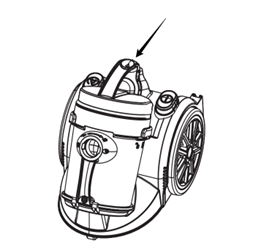
2. Lift and remove the dust cup.
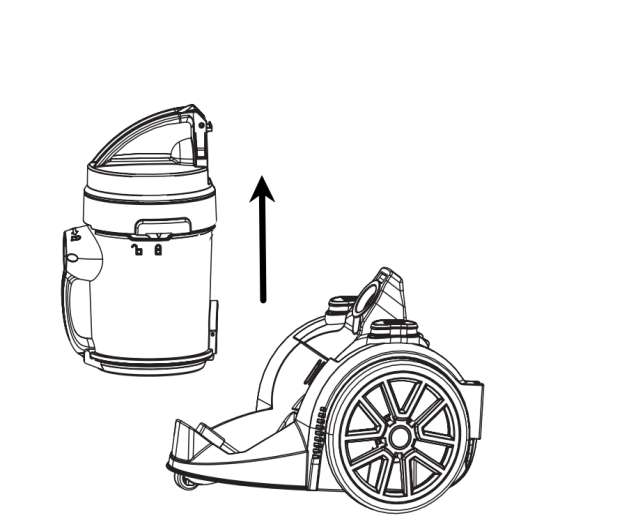
3. Press the release button to empty the dust cup.
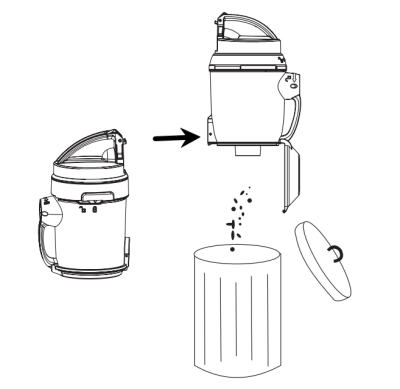
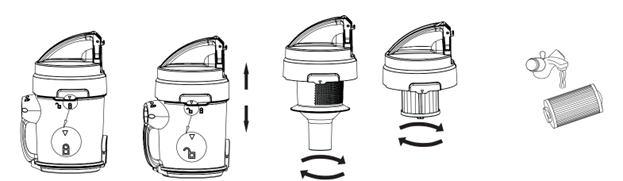
4. Rotate the lid as shown until it aligns with the unlock symbol, remove all filter components and rinse with water. Dry completely before reassembling.
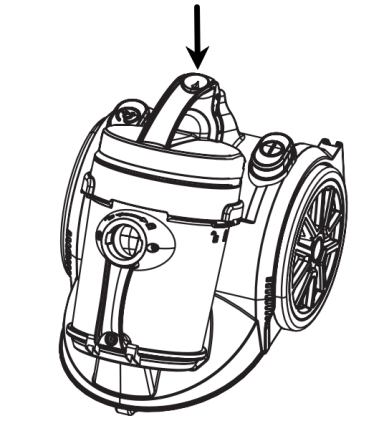
5. Place the dust cup properly and ensure the button is locked.
SPONGE:
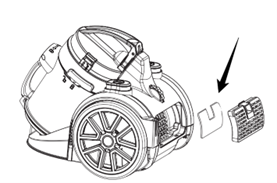
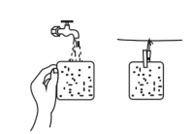
- Remove the sponge filter, rinse with water, allow it to dry completely before reinstalling.
Ⅴ.PRECAUTIONS
- Read this manual carefully before use and keep it for future reference.
- Not suitable for children and people with physical or mental impairments, unless supervised.
- Keep the unit out of reach of children and do not let them play with it.
- Ensure the rated voltage matches local supply. Use only the original or manufacturer-specified power cord/charger.
- Do not use if the plug, cord or unit is damaged. Do not disassemble or modify the unit on your own. Contact customer service if needed.
- Do not operate with wet hands.
- If smoke, unusual odour, overheating or deformation occurs, turn off and stop using the vacuum immediately. Contact customer service if needed.
- For home use only. Do not use commercially or beyond the functions described in the manual. Improper use voids the warranty.
- Operate only under supervision. Do not leave the vacuum running unattended. Unplug before leaving, assembling, disassembling, cleaning or servicing.
- Plug into a grounded outlet and ensure the plug is secure.
- This vacuum uses a bagless cyclone filtration. Clean filters according to the manual if clogged.
- Do not vacuum liquids, flammable or hot materials, hard or sharp objects or construction dust.
- Do not operate without filters.
- Do not pull, twist or sharply bend the hose.
- If suction becomes very weak during operation, turn off immediately and check the device. First, check if the dust cup is full; then check both filters; lastly, check the floor brush, tube and hose for blockages. Do not use until the suction returns to normal.
- FAQ
|
PROBLEM |
POSSIBLE CAUSE |
SOLUTION |
|
Does not turn on |
Plug not inserted or not fully seated |
Reinsert the plug fully into the outlet. |
|
Outlet has no power |
Turn on the outlet switch or try a different outlet. |
|
|
Vacuum not turned on |
Press the power button. |
|
|
Vacuum or power button damage |
Contact customer service. |
|
|
Weak suction/ cannot pick up debris |
Hose, air inlet or floor brush blocked |
Clear the blockage and clean the accessories |
|
Dust cup not properly installed |
Place the dust cup correctly and ensure the button is locked. |
|
|
Filter components not completely dry |
Dry the filters before use. |
|
|
Hose damaged or leaking |
Contact customer service to replace the hose. |
|
|
Dust cup is full |
Empty and clean the dust cup. |
|
|
Filter components clogged |
Clean the filter components. |
|
|
Motor Overheating |
Prolonged use |
Allow the to vacuum rest before using again. |
|
Excess dust on filters and dust cup |
Clean the dust cup and empty it. |
|
|
Vacuum or exhaust overheating |
Used for more than 30 min |
Allow the vacuum to rest for 5 min. |
|
Air inlet blocked |
Clear the blockage to restore airflow. |