

Ⅰ.SPECIFICATIONS
|
Product Name |
Model No. |
Rated Power |
Rated Voltage |
Rated Frequency |
|
Air Purifier |
KJ450P |
50W |
24V |
50/60Hz |
Ⅱ. PRODUCT ILLUSTRATION
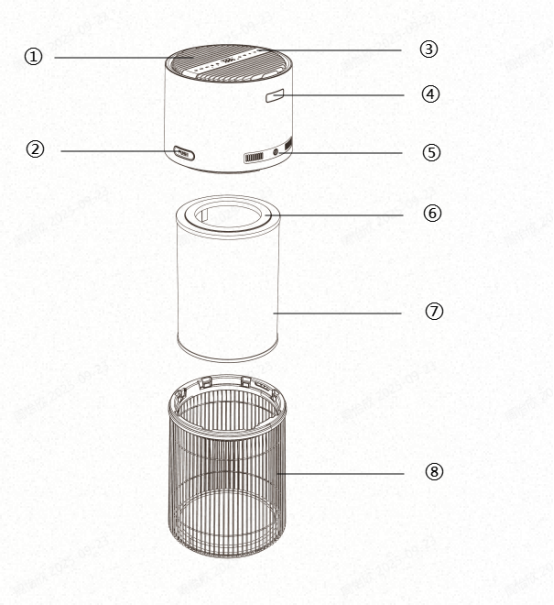
- Air Outlet
- Push Button
- Control Panel
- Aroma Diffuser
- Adapter Interface
- Filter Element
- Electrostatic Filter Cotton
- Filter Grille
Ⅲ.Installation Guide
Choose a flat and dry area, away from direct sunlight and water sources.
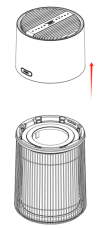
1.Press the "PUSH" buttons and slide the top part of the unit in the direction of the arrow to open it.
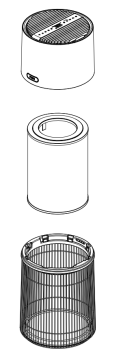
2.Gently remove the filter assembly.
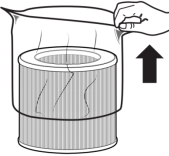
3.The filter is packed in a protective plastic bag to ensure cleanliness and integrity. Carefully remove the plastic bag without using excessive force to avoid damaging the filter.
4.Once confirmed that the filter is intact, place it back into the unit properly. Ensure the top and bottom parts are securely closed before powering on the air purifier.
Ⅳ.OPERATION INSTRUCTIONS
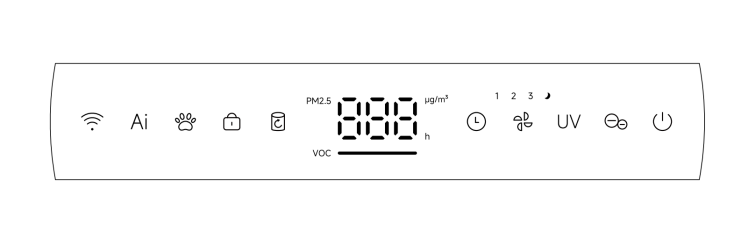
Power Button :Short press to turn the unit on or off.
Speed Button  :After powering on, the unit defaults to Speed Level 1. Short press to cycle through the following speed settings: Level 2 → Level 3 → Sleep Mode → Level 1. The corresponding indicator light will illuminate with each change. When the unit is operating in AI Mode or Pet Mode, pressing the Fan Speed button will exit the current mode and switch to Speed Level 1. In Sleep Mode, if no operation is performed for 5 seconds, all indicator lights will turn off except for the Sleep Mode indicator, which will remain dimly lit. Pressing any button during this time will wake the display, and the Sleep indicator will return to its original brightness.
Pet Mode  : Short press to activate Pet Mode. This mode enables both the UV light and ionizer function, and their corresponding indicators will turn on.
Ai Mode  : Short press to activate AI Mode. In this mode, the unit will automatically adjust to the optimal fan speed based on the detected PM2.5 concentration and VOC levels. The corresponding fan speed will be selected as follows:
|
PM2.5 Range(μg/m³) |
PM2.5 Air Quality |
Light indicator |
Fan Speed |
|
1~50 |
Good |
Green |
1 |
|
51~150 |
Average
|
Orange |
2 |
|
151~999 |
Poor |
Red |
3 |
|
VOC Range |
VOC Air Quality |
Light indicator |
Fan Speed |
|
0.01~0.20 |
Good |
Green |
1 |
|
0.21-0.60 |
Average
|
Orange |
2 |
|
0.61-9.99 |
Poor |
Red |
3 |
Ionizer Button  : Short press to turn the ionizer function on or off.
UV Light Button : Short press to turn the UV light on or off. Note: UV light cannot be activated while in Sleep Mode.
Filter Reset Button : When the filter usage time exceeds 2,200 hours, the red indicator light will turn on and blink to remind you to replace the filter. After installing a new filter, press and hold the reset button for 1.5 seconds. A beep will sound and the indicator will turn off. The filter usage time will then reset to 2,200 hours and begin counting again.
Timer Button  : Short press to activate the timer function. The screen will display the time in hours. You can set a timer from 1 to 24 hours. After setting, the display will return to showing the PM2.5 value. To cancel the timer, set the duration to 0 hours.Press and hold for 1.5 seconds to trigger quick digital skipping.
Child Lock  : Press and hold for 1.5 seconds to enable or disable Child Lock mode. When enabled, all buttons except the Child Lock button will be disabled.
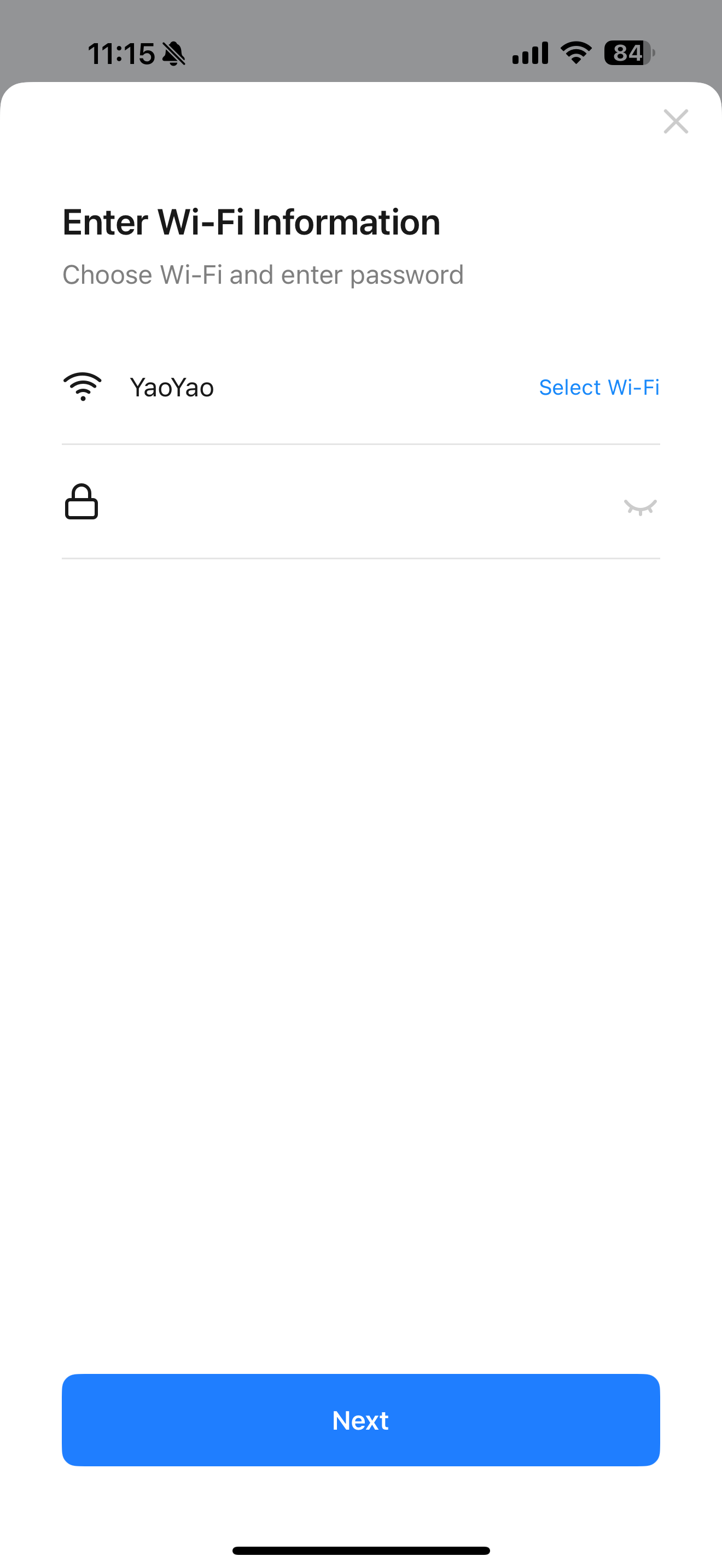
WiFi Function : Press and hold for 1.5 seconds to enter Wi-Fi pairing mode. If pairing fails or no configuration is completed within 3 minutes, the Wi-Fi indicator will turn off and the unit will exit pairing mode automatically. Press and hold for 1.5 seconds again to clear existing network settings and re-enter pairing mode.
App Connection Steps:
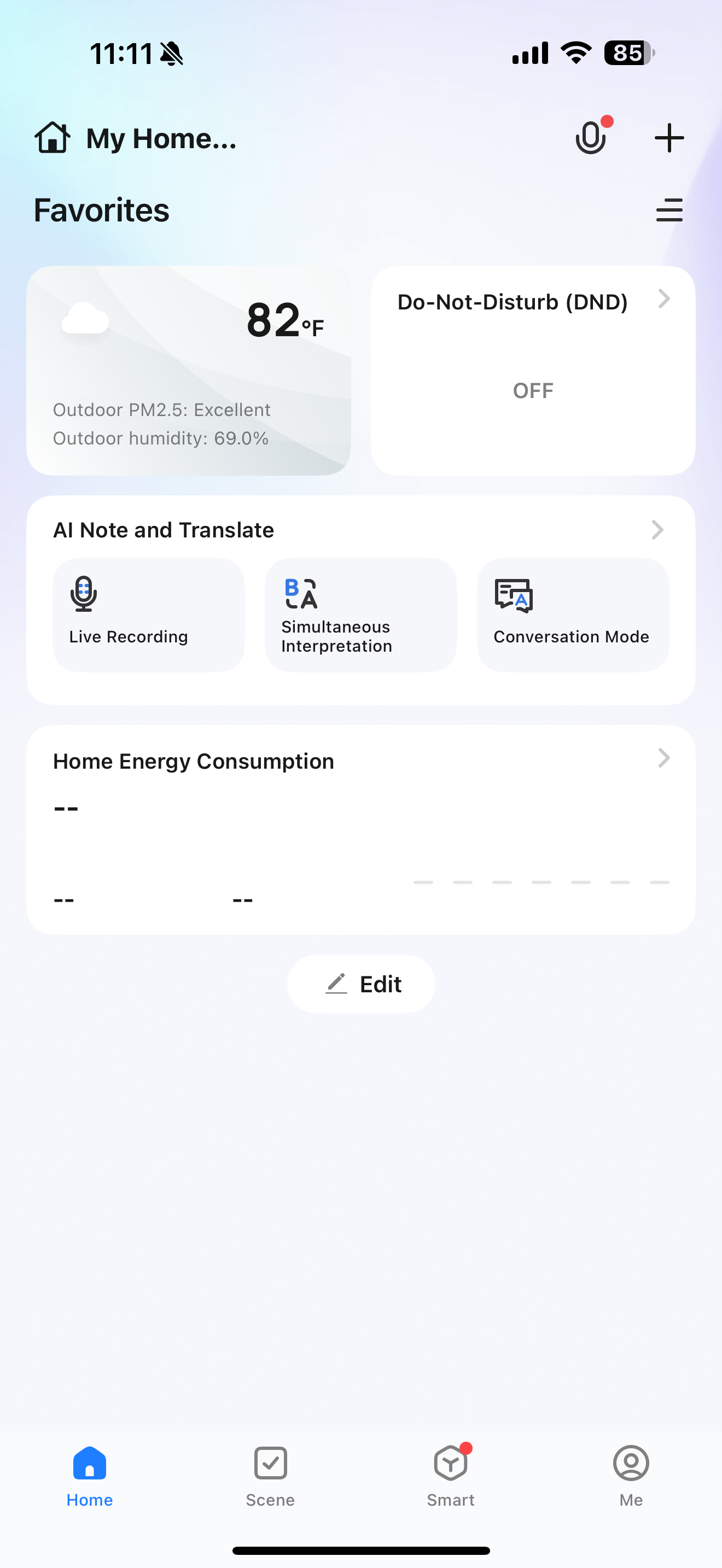
- Scan the QR code to download and install the Smart Life app on your smartphone, then complete account registration.
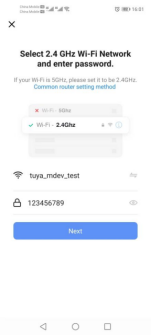
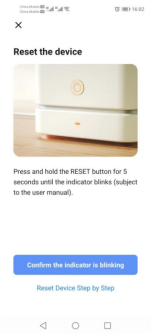
- Open the app and press and hold the Wi-Fi button for 1.5 seconds on the purifier.The Wi-Fi indicator will start blinking. In the app, tap "Add machine" or the "+" icon in the top right corner.
- The purifier will be automatically detected at the top of the screen.Select the corresponding Simplus machine model to complete pairing.
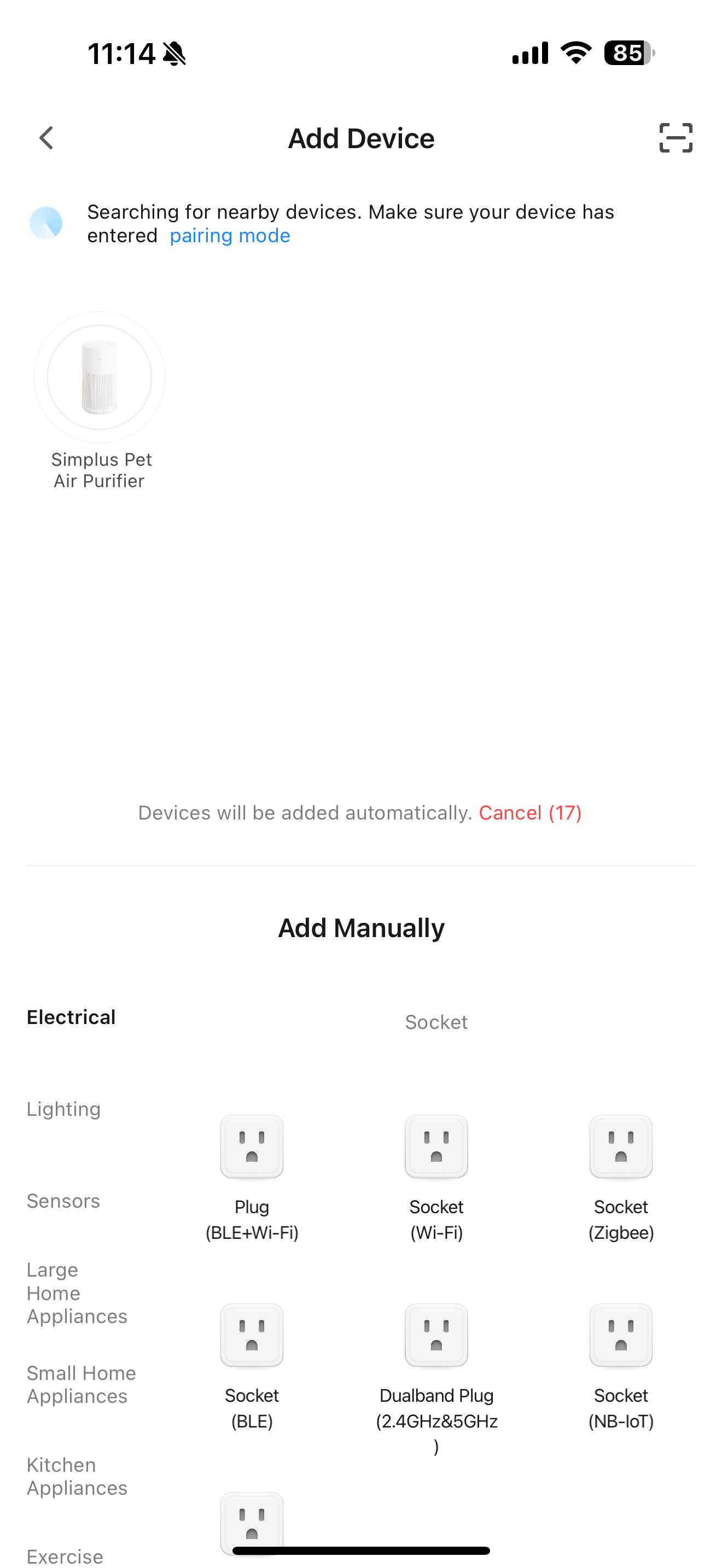
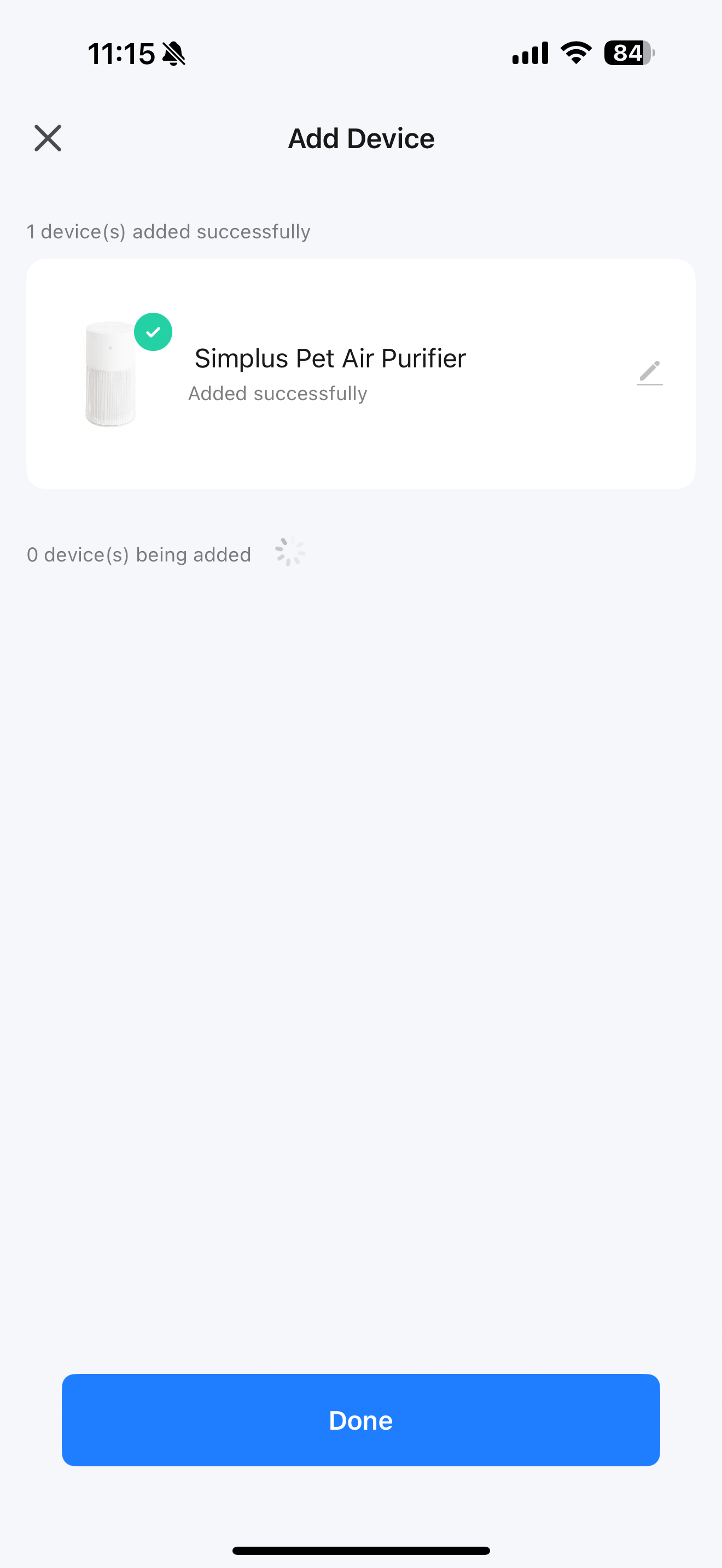
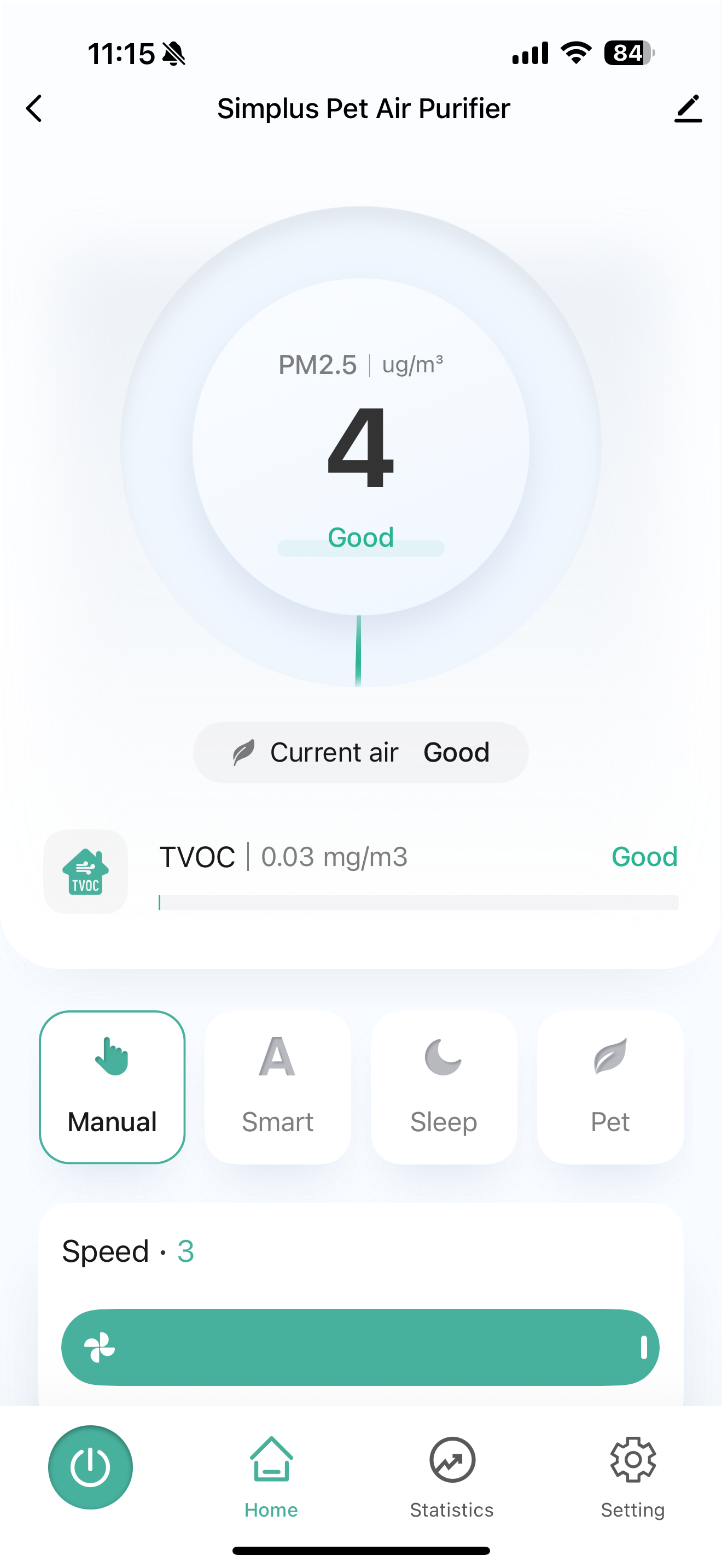
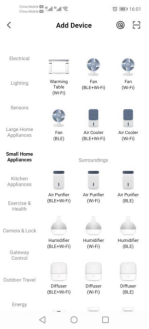
- If the machine is not automatically recognized, tap "Manual Addition", then select the "Small Home Appliances" category and locate the corresponding machine.
Alarm Functions:
Error Code E1:
Whether the machine is operating or in standby mode, if the top cover is opened, the machine will emit three short beeps and all buttons will be disabled, the indicator lights will turn off, and the screen will display "E1". Simultaneously, all running functions will be suspended. After re-installing the cover, the buzzer will sound once, and the machine will return to its previous standby or operating state.
Error Code E2:
This code indicates an abnormal motor speed. During operation, if an abnormal motor speed is detected, the main control chip will continuously monitor the abnormal signal for 10 seconds and then shut down the motor. The screen will display "E2". To clear this error, turn off the machine and then turn it back on.
Ⅴ.Cleaning & Maintenance
- Cleaning the Air Purifier
It is recommended to clean the air purifier at least once every three months and to clean it before long-term storage.
Always unplug the machine before cleaning. Use a dry cloth to wipe the external surfaces of the machine. Do not use detergents, gasoline, glass cleaners, furniture polish, paint thinners, or any chemical solvents.
- Replacing the Filter
Replace the filter with a new one once it reaches the end of its service life. Do not wash the filter with water or clean it with a vacuum cleaner.It is recommanded to replace the Electrostatic Filter Cotton each month
- Maintenance
If the machine will be unused for more than 30 days, it is recommended to remove the filter and store it in a sealed plastic bag.
VI.WARNINGS
- Remove plastic seal from the filter before first use.
- Do not add water-based oils to the aroma diffuser, as this may trigger TVOC sensor alarms due to high alcohol content.
- A slight noise from the built-in ionizer is normal.
- Speed and sound changes in Pet Mode are normal.
- Clean dust from the filter regularly. Do not wash or vacuum the filter.
- Replace the filter at the end of its service life.
- Keep at least 30 cm clearance from walls to ensure proper airflow.
- To reduce the risk of fire, electric shock, or injury, do not use replacement parts not recommended by the manufacturer.
- To avoid fire or shock hazards, always plug the adapter into a properly polarized outlet.
- This product is intended for indoor use only and must operate in an ambient temperature range of 4°C to 43°C (39°F to 109°F).
- Do not place the machine on soft surfaces such as beds or sofas, as this may cause the unit to tip over or block the air inlets and outlets.
- Do not place any objects on top of the machine.
- Do not move or tilt the machine while it is operating.
- Do not insert fingers or objects into the air inlets or outlets.
- Do not use the machine outdoors. It is for indoor use only and should be protected from direct sunlight and rain.
- Do not use the machine near water sources or in damp or high-humidity environments to avoid electrical accidents.
- Do not operate the machine with wet hands.
- Do not place the machine directly under an air conditioner to prevent moisture from entering the purifier.
- Keep the machine away from heat sources and open flames such as stovetops, ovens, radiators, or computers.
- Always turn off the machine before unplugging it.
- Always unplug the machine and ensure it is powered off before moving it, cleaning it, opening the upper cover, or replacing the filter.
- This machine is not intended to remove carbon monoxide or radon. It cannot be used to prevent or remedy accidents caused by combustion or hazardous chemicals.
- Do not use cleaning agents, gasoline, glass cleaners, furniture polish, paint thinners, or other household solvents to clean the machine.
- Do not attempt to repair or modify the machine
- Do not use the machine if the power cord or plug is damaged. If the machine is not functioning or is damaged, contact Customer Support
- To reduce the risk of fire or electric shock, do not use this fan with any solid-state speed control machine.
- Check and clean the machine regularly as instructed to prevent excessive dust buildup, which may pose a risk of arcing or fire.
- This appliance is not intended for use by persons (including children) with reduced physical, sensory or mental capabilities, or lack of experience and knowledge, unless they have been given supervision or instruction concerning use of the appliance by a person responsible for their safety.
- Children should be supervised not to play with the appliance.
VII.TROUBLESHOOTING GUIDE
|
Problem |
Solution |
|
Air purifier does not operate or buttons are unresponsive |
Plug in the machine. |
|
Check whether the power cord is damaged. If so, stop using the device immediately and contact Customer Support. |
|
|
Try a different power outlet. |
|
|
The air purifier may be malfunctioning, please contact Customer Support. |
|
|
Significant reduction in airflow |
Make sure the plastic packaging on the filter has been removed and the filter is properly installed. |
|
Keep the device at least 30 cm away from walls to avoid blocking the air inlet. |
|
|
The filter may be clogged by large particles such as hair or lint. Please clean the filter surface. |
|
|
The filter may have reached the end of its service life. Replace it with a new filter. |
|
|
Unusual noise and weak airflow |
Make sure the plastic packaging on the filter has been removed and the filter is properly installed. |
|
Make sure the air purifier is placed on a hard, flat, even surface. |
|
|
Replace the filter with a new one. |
|
|
The air purifier may be malfunctioning or contain foreign objects inside. Stop using it immediately and contact customer service. Do not attempt to repair it yourself. |
|
|
Strong unpleasant odor emitted from the machine |
Replace the filter with a new one. |
|
Make sure not to use your purifier in an area with high humidity. |
|
|
Contact Customer Support. |